Computer Operation Course

Build Essential Computer Skills for Education, Employment and Everyday Work

Computer skills are now essential for almost every academic, professional and business activity. Whether you are a student, job seeker, employee, entrepreneur or complete beginner, practical computer knowledge can help you work faster, communicate professionally and access more career opportunities.

The Computer Operation Course at Career Point at S@ifur’s is designed to help learners develop practical, job-ready computer skills. Through guided lessons and hands-on practice, students learn how to operate a computer confidently, create professional documents, manage files, use office applications and complete common digital tasks.
Start from the basics and gradually build the skills needed for study, office work, freelancing, business and everyday digital communication.

Take your first step towards becoming confident and productive with computers.

Why Learn Computer Operation?

Computer knowledge is no longer limited to technology-related careers. Schools, colleges, government offices, private companies, banks, hospitals, travel agencies, educational institutions and businesses all depend on computers for their daily operations.

Learning computer operation can help you:
– Complete academic assignments and presentations
– Prepare CVs, reports, letters and official documents
– Organise information using spreadsheets
– Send professional emails and manage attachments
– Search for information safely on the internet
– Apply for jobs and educational opportunities online
– Perform everyday office and administrative tasks
– Improve productivity and workplace confidence
– Build a strong foundation for advanced IT courses

The course focuses on practical application so that students can use their skills in real-life situations.

What You Will Learn

01.

Computer Fundamentals

Students begin by learning the essential concepts needed to operate a computer safely and confidently.

Topics may include:
– Introduction to computers
– Different parts of a computer
– Hardware and software basics
– Keyboard and mouse operation
– Starting and shutting down a computer correctly
– Understanding desktop icons and menus
– Using common computer settings
– Basic troubleshooting practices

02.

Windows and File Management

Proper file organisation is an important skill for students and professionals.

You will learn how to:
– Create files and folders
– Rename, copy, move and delete files
– Organise documents systematically
– Use external storage devices
– Search for files and applications
– Compress and extract folders
– Manage downloads
– Recover deleted files when possible
– Keep important information organised and accessible

03.

Microsoft Word

Microsoft Word is widely used for academic, personal and professional document creation.

The course covers practical skills such as:
– Creating and saving documents
– Editing and formatting text
– Setting margins and page layout
– Using headings, lists and tables
– Adding images, shapes and symbols
– Creating CVs and cover letters
– Preparing official letters and applications
– Designing certificates and simple forms
– Adding headers, footers and page numbers
– Checking spelling and grammar
– Printing professional documents

04.

Microsoft Excel

Microsoft Excel helps users organise data, perform calculations and prepare reports.

Students will learn:
– Understanding rows, columns and cells
– Entering and formatting data
– Creating tables
– Using basic formulas and functions
– Performing simple calculations
– Sorting and filtering information
– Creating charts and graphs
– Preparing attendance sheets
– Creating result sheets
– Managing basic accounts and expenses
– Designing office records and reports
– Printing spreadsheets correctly

05.

Microsoft PowerPoint

PowerPoint skills are valuable for students, teachers, trainers, employees and business professionals.

The course includes:
– Creating presentation slides
– Selecting suitable layouts
– Adding text, images and shapes
– Using charts and tables
– Applying transitions and animations
– Maintaining consistent slide design
– Creating academic presentations
– Preparing business presentations
– Presenting slides confidently
– Saving and exporting presentation files

06.

Internet and Email Skills

Students learn how to use the internet productively, responsibly and safely.

Topics include:
– Using web browsers
– Searching for reliable information
– Downloading and uploading files
– Completing online forms
– Creating and managing an email account
– Writing professional emails
– Sending and receiving attachments
– Using cloud-based services
– Attending online classes or meetings
– Understanding basic online privacy
– Identifying suspicious links and messages

07.

Printing, Scanning and Office Equipment

The course introduces students to common equipment used in offices and educational institutions.

You may learn how to:
– Connect and use a printer
– Select appropriate printing settings
– Print documents and spreadsheets
– Scan documents
– Save scanned files in suitable formats
– Use photocopying functions
– Handle basic printer issues
– Prepare digital documents for submission

08.

Bangla and English Typing

Typing efficiently can save time and improve productivity.

Students receive practice in:
– Correct keyboard positioning
– English typing
– Bangla typing
– Improving typing speed
– Reducing typing errors
– Writing formal documents
– Using punctuation and symbols
– Formatting Bangla and English content

Practical Skills for Real-Life Use

This Computer Operation Course is not limited to theoretical lessons. Students practise common tasks that may be required in educational institutions, offices and businesses.
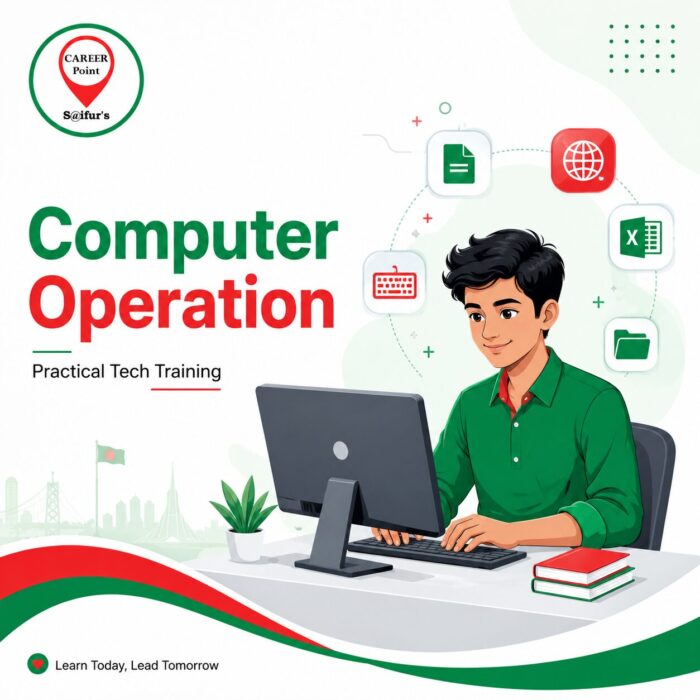
Practical activities may include:
– Preparing a professional CV
– Writing an official application
– Creating an academic assignment
– Designing a presentation
– Preparing a monthly expense sheet
– Creating an attendance record
– Sending documents through email
– Organising files and folders
– Printing and scanning documents
– Completing online applications

These activities help learners understand how computer skills are used in real working environments.

Who Should Join This Course?

The course is suitable for:
Students: Develop essential skills for assignments, presentations, research, online applications and future employment.
Job Seekers: Learn office applications and computer skills commonly required in private and government jobs.
Employees: Improve productivity, document preparation, reporting and digital communication skills.
Business Owners: Manage documents, customer records, expenses, presentations and online communication more efficiently.
Beginners: Start learning from the fundamentals, even with little or no previous computer experience.
Freelancing and IT Learners: Build a strong foundation before progressing to graphic design, web development, digital marketing or other advanced courses.

Benefits of Completing the Computer Operation Course

After completing the course, learners should be better prepared to:
– Operate a desktop or laptop confidently
– Create and format professional documents
– Use spreadsheets for data and calculations
– Prepare effective presentations
– Manage digital files and folders
– Communicate through professional email
– Use the internet safely and productively
– Complete common office tasks
– Prepare documents for printing and scanning
– Continue learning advanced computer skills

Career Opportunities Supported by Computer Skills

Computer operation skills can support entry-level opportunities in areas such as:
– Office administration
– Data entry
– Front desk support
– Customer service
– School and coaching centre administration
– Computer operator roles
– Documentation support
– Sales administration
– Business support
– Reception and record management

Computer knowledge can also improve performance in many other roles where digital tools are used regularly.

Why Choose Career Point at S@ifur’s?

Beginner-Friendly Learning

Lessons are structured to make computer education understandable and accessible for new learners.

Hands-On Practice

Students practise important tasks instead of relying only on lectures or demonstrations.

Career-Focused Curriculum

The course covers computer skills commonly required in education, office administration and entry-level employment.

Supportive Learning Environment

Instructors guide students through each topic and help them practise difficult areas.

Practical Office Applications

Learners receive training in commonly used tools such as Word, Excel, PowerPoint, email and internet applications.

Skills for Everyday Life

The course helps students complete online forms, organise documents, communicate digitally and use computers confidently.

Contact for Admission Information

📞 Phone:

+880 1720-363895

📣 Connect on Social Media:

Frequently Asked Questions

Learn Today, Work Smarter Tomorrow

A lack of computer knowledge can make academic and professional tasks more difficult. With proper training and regular practice, anyone can learn to use a computer effectively.

The Computer Operation Course at Career Point at S@ifur’s provides a practical learning path for students who want to become confident, organised and digitally capable.

Or Call Us at

+880 1720-363895

Find Us on Google Maps

Take the First Step Today

Contact us now and discover the course that is right for you. Your journey to success starts here.

Scroll to Top